Truck Ticket Capture on GC Concrete and Earthwork Jobs
On concrete and earthwork jobs, truck tickets pile up in cabs and pickups. What that paper drag costs a mid-size GC in delayed billing and lost quantities.
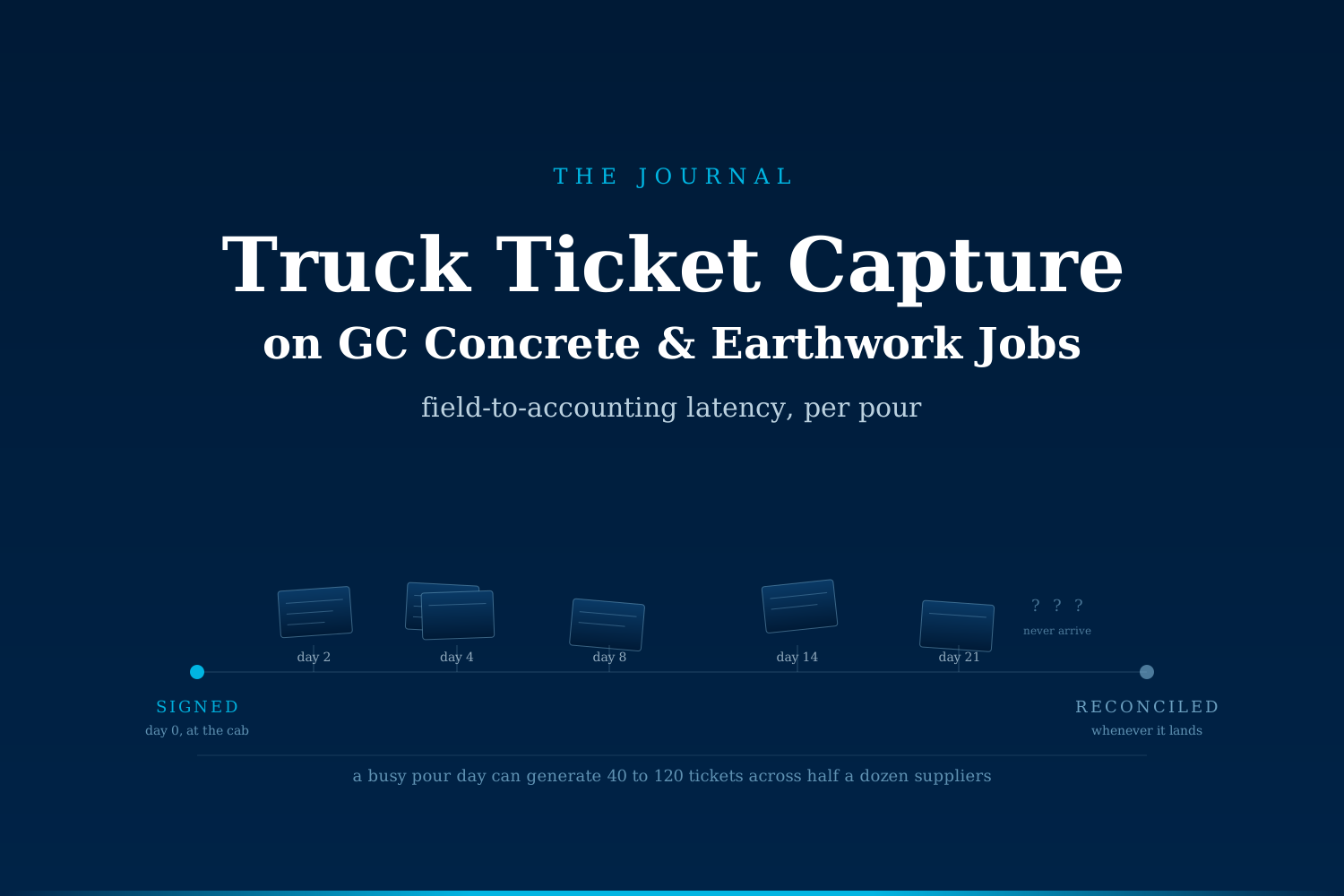
On a busy concrete pour or earthwork move, a mid-size GC can process hundreds of truck tickets in a single week. Paper capture leaves those tickets piled in cabs, trailers, and superintendent pickups. Accounting sees them days or weeks late, and quantity disputes almost always favor the vendor when the ticket lands last.
What are truck tickets and why do they pile up?
On concrete, aggregate, hauling, and site work jobs, the truck ticket is the acknowledgment slip that documents every load delivered or removed. Each one carries a supplier name, a load quantity, a delivery time, unit pricing, and a signature. A single self-perform concrete day can generate 40 to 120 tickets across half a dozen suppliers. A heavy earthwork week can pass 500.
They pile up because the capture point is the wrong person at the wrong moment. Foremen and superintendents are directing traffic, verifying slump, staging crews, and coordinating the next truck. Ticket handling is the least urgent thing on their list until Friday, when the accounting desk needs the stack for the pay app cycle. Practitioners in the concrete and earthwork trades consistently report that a nontrivial share of daily tickets never reach the project office in the same week they were signed, and a smaller share never reach it at all.
The result is a paper backlog that grows through the summer pour season, gets sorted in bulk during a slow week, and enters the job cost system so late that no one on the crew remembers which pour, phase, or work order the load belonged to.
What does ticket-capture drag actually cost a mid-size GC?
The pain shows up in three specific places on the P&L:
- Delayed billing on cost-plus and T&M line items. Tickets that arrive after pay-app cutoff push to the following cycle. On a $2M self-perform concrete package, a single week of shifted billing can move six figures of receivables into the next month. On cash-tight jobs, that lag alone can determine whether the GC funds the next pour from operating cash or a line of credit.
- Quantity disputes lost by default. When a supplier's invoice comes in before the GC's own ticket file is assembled, the AP clerk pays what the vendor claims because there is nothing to check it against. Individually small overages, an extra half yard here, a rounded-up ton there, add up to material money across a season. Industry audits of specialty contractor invoices routinely surface these variances when a ticket file finally lands.
- Job cost coding drift. A ticket captured three weeks late gets coded from memory. The load hits a phase code or activity code that doesn't match where the material actually went. Two consequences follow: the current job's financials stop reflecting reality, and next year's estimating templates learn from a distorted data set. On a portfolio of jobs, that gap compounds.
There is a fourth cost that is harder to price but often the loudest one internally: the accounting team's Friday of pay-app week. Sorting a milk crate of tickets, chasing missing loads, and reconciling by hand against POs eats hours that would otherwise flow into monthly forecasting, cash management, or job cost review.
What changes when capture happens at the truck?
The unlock is not a new logging app. The unlock is that the acknowledgment point moves from the office back to the field, without adding a data-entry burden to the foreman.
Comparison of the two workflows:
| Step | Paper capture | AI-assisted capture |
|---|---|---|
| Ticket handoff | Signed by foreman, stacked in cab | Photo captured at handoff, uploaded on-device |
| Field-to-office latency | 2 to 21 days | Seconds to minutes |
| Data extraction | Manual entry from paper stack | Supplier, load, time, unit, price parsed automatically |
| Job cost coding | Assigned by AP clerk days later, from memory | Suggested from job, phase, and pour schedule |
| Reconciliation with PO | Weekly, if at all | Continuous, with variance flag |
| Missing tickets | Discovered at invoice audit | Surfaced daily against expected loads |
| Pay-app prep | Manual milk crate sort | Prebuilt from validated ticket file |
Nothing here says the foreman becomes a data-entry clerk. The foreman still signs, still directs traffic, still owns the pour. The change is that a photo of the ticket, taken by whoever is closest, becomes structured, coded, and reconciled data before the truck leaves the site.
Where does this fit on the project lifecycle?
Truck ticket capture sits at the intersection of three operational cycles that all use the data downstream:
- Weekly billing. Every ticket needs to hit the pay app for the period in which it was signed.
- Real-time job cost. Superintendents comparing installed quantity against theoretical yield need same-day cost data to catch overages before the next pour.
- Historical estimating feedback. After closeout, the cost-per-unit of every phase code becomes an input for the next similar bid.
When capture is late, all three suffer proportionally. Weekly billing slides. Superintendents fly blind for a week or two after each pour. Estimating templates degrade without anyone noticing. That triple-hit is why the paper backlog costs more than it looks like on the ledger line for it.
What signals suggest the drag is costing you?
Before assuming this is a small line-item, a few patterns are worth checking:
- Concrete, aggregate, or hauling invoices routinely land at the office before the tickets do.
- Pay-app week starts with someone reconciling a milk crate of paper by hand.
- Job cost variance on self-perform work tends to widen from month one to month three of a project, before anyone can explain why.
- Estimators say the productivity data from finished jobs feels unreliable, or they have simply stopped using it.
- Suppliers seem to prevail on nearly every quantity dispute the AP team raises.
- The controller cannot answer, on any given Wednesday, how many tickets are outstanding across active jobs.
If two or three of those match, the paper stack is affecting two places at once: the AR ledger and the estimating file are both out of sync with what actually happened in the field.
What we are not saying
This is not a five-tool guide to building your own ticket-capture app in a weekend. Picking OCR vendors, wiring pours to phase codes, designing on-device capture that does not add friction to a foreman's morning, and enforcing near-real-time upload across a rotating crew all live below the waterline. Getting those wrong turns the system into another paper trail no one honors. Getting them right is what a discovery pass is for.
The takeaway
Truck tickets are a small artifact with a large lag. When capture happens at the truck instead of at the office desk, three things line up at once: billing runs faster, quantity disputes get won more often, and job cost coding starts reflecting the pour that actually happened. On a mid-size GC with active self-perform, that shift shows up on the next fiscal quarter, not next year.
If your ticket flow looks like the description above, we run a completely free automation audit for construction operations teams that want a second opinion before committing to anything. No slide deck, no scoped-out proposal, just a look at where the paper stack sits on your desk and what it costs per week. → Book yours
Sami Raza
Software Developer & Technical Author
Sami Raza builds AI automation for logistics, DTC, and construction operations teams at ApexifyLabs, and writes about the operational failures that automation is actually worth pointing at.