When Vendor Invoice Matching Stalls GC AP Desks
Three-way invoice matching fails often on general contractor AP desks, and every stall pulls the field back into the office. Where the hours actually go.
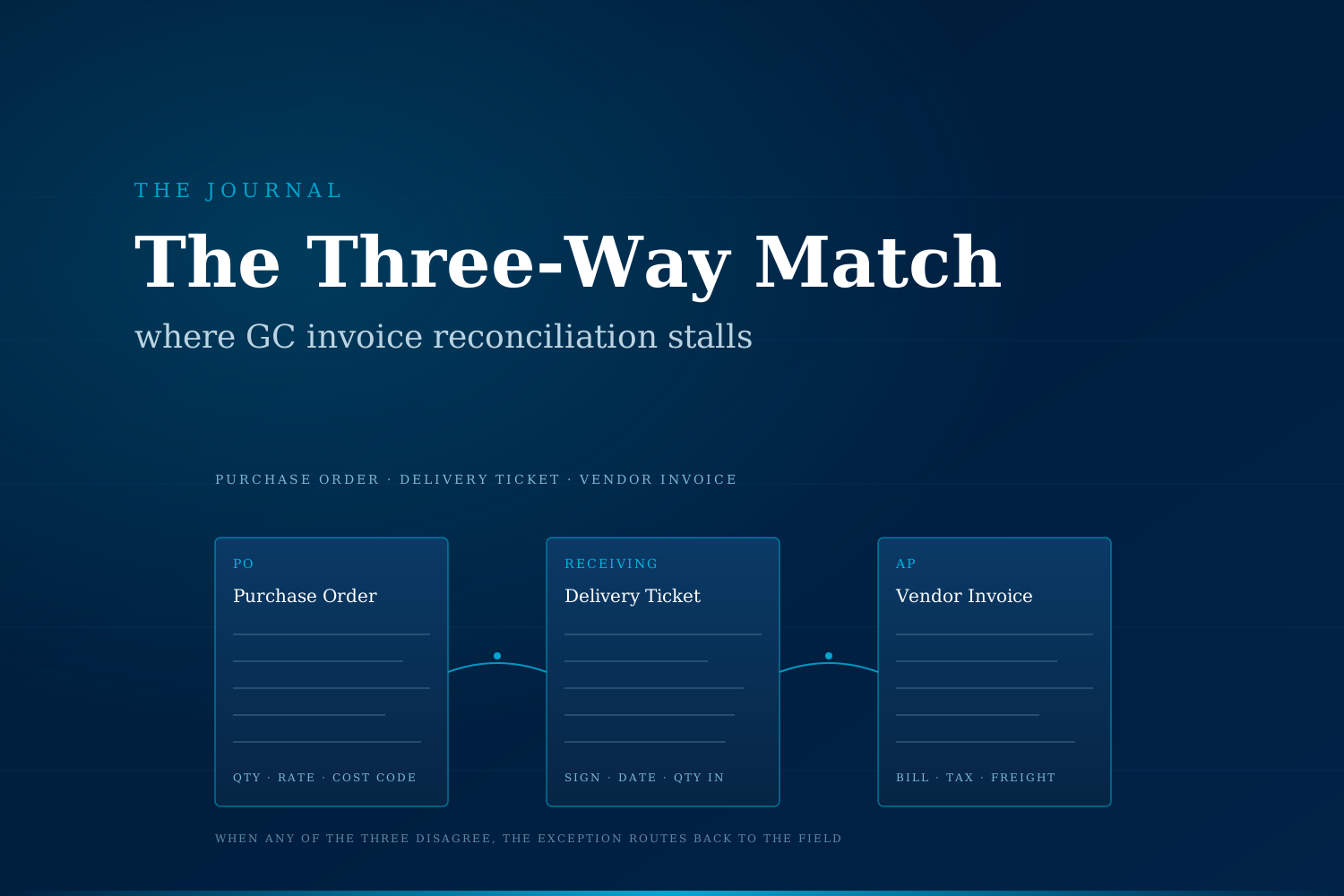
Vendor invoice matching is one of the most under-measured time sinks on a mid-size general contractor's finance team. The three-way match between purchase order, delivery ticket, and vendor invoice fails more often than it clears cleanly, and each failure pulls a project manager, superintendent, or buyer back into a workflow that was supposed to close on its own.
What is vendor invoice matching on a GC AP desk?
Every general contractor runs a version of it. A materials vendor sends an invoice. An AP specialist looks up the purchase order, then hunts down the receiving ticket or delivery slip from the field. Three numbers should reconcile: quantity ordered, quantity received, and price on the invoice. When all three agree, the invoice posts to job cost and moves to payment. When any one disagrees, someone routes it back for review.
On mid-size GCs, matching typically spans concrete, structural steel, framing, drywall, MEP rough-in materials, rentals, small tools, and consumables. A single active job of $8M–$20M can generate 200 to 400 vendor invoices a month across those categories. Multiply by five or six concurrent jobs, and the AP desk is running north of 1,500 invoices a month, most of which are supposed to route themselves through the system without human touch.
The desk that is supposed to be a processing function ends up as a research function instead.
Why does the match stall so often?
The three-way match fails in patterns that repeat across jobs and vendors.
- The delivery ticket never lands in the file. The field signed for the delivery, but the ticket sits on a truck seat, gets photographed on a phone, or ends up in a superintendent's inbox rather than the shared job folder. AP cannot confirm receipt.
- Line items on the invoice do not map to the PO. The vendor bills for descriptions the buyer never used, or bundles freight, fuel surcharge, and small-tool rental into a single line that has no match on the PO.
- Quantities split across multiple invoices. Half the order arrived Tuesday and the rest arrived Friday, but the vendor invoiced the full quantity on Wednesday. Now nothing lines up.
- The buyer never opened a PO. Field bought material directly with a job-site credit card or by phone. AP receives an invoice with no reference number and has to backfill the PO after the fact.
- Cost codes drift. The vendor invoiced concrete rebar to the general labor code because that was on the last order, and the AP clerk did not catch the reclass in time.
- A return credit never posts. A partial return happened at the jobsite, a credit memo was promised verbally, and now AP is chasing the vendor for the offset before releasing payment.
Each of these looks small in isolation. Aggregated across a project's lifecycle, they turn AP from a processing function into a full-time research team.
What does the delay actually cost a mid-size GC?
Three cost categories show up first, and owners rarely see any of them on a variance report.
Lost early-pay discounts
Common vendor terms are net 30 with a 2%/10 early-pay option. On a $50K/month materials vendor, 2% is $1,000 a month. Miss that for six months across ten active vendors and the number is meaningful money that nobody flagged. APQC's Open Standards Benchmarks consistently show top-quartile organizations capture roughly three times more early-payment discount than bottom-quartile peers, largely because their match cycle finishes inside the discount window rather than after it.
Job-cost bleed from mis-coded lines
When an invoice sits in the exception queue and finally gets pushed through on a manual override to hit payment terms, the cost code tends to default to whatever line is closest. The P&L on the job then shows the number in the wrong bucket. By the time the PM catches it at monthly WIP review, the owner has already been billed against a breakdown that no longer reflects reality, and any margin conversation with the owner starts on the back foot.
Superintendent time answering AP questions
Every stalled match creates a phone call or text back to the field: "do you remember signing for a delivery from XYZ Concrete on the 14th?" That question, multiplied across 15 to 20 invoices a week, adds up to roughly half a day of superintendent time that was scheduled for the schedule.
Manual vs AI-augmented invoice matching, side by side
| Dimension | Manual AP desk | AI-augmented AP desk |
|---|---|---|
| Time per clean invoice | 8 to 15 minutes | Under 1 minute |
| Time per exception | 20 to 45 minutes | 3 to 8 minutes |
| Early-pay discount capture | Variable, often below 40% | Materially higher, above 75% is common |
| Cost-code accuracy at close | Reconciled at month-end WIP review | Reconciled inside the invoice route |
| Delivery ticket capture | Manual scan or upload from the field | Auto-associated from receiving log or photo |
| Field interruption per week | Dozens of "did you receive this?" pings | Rare, only true exceptions escalate |
Ranges above come from APQC benchmarks, IOFM AP process studies, and CFMA financial surveys. Exact numbers vary by GC size and vendor mix.
How do modern GC AP desks handle the same load differently?
The pattern operators describe once they change is that the AP desk stops being an inbox at all. Vendor invoices arrive by email or EDI and get read automatically. Delivery photos and signed slips from the field are already associated with the PO by the time the invoice shows up. The system compares line items to what was ordered, what was received, and what job the material belongs to. It either posts the invoice or routes only genuine exceptions to a human.
The AP specialist's day changes shape. Instead of chasing tickets and matching lines, they handle a much smaller queue of real disagreements: a vendor overshipped, a return credit is missing, a PO needs to be opened after the fact, a tax line looks wrong. Everything routine clears in the background.
Superintendents stop getting the "did you receive this" phone calls. Project managers see clean job-cost reports on the fifteenth of the month instead of at close, so they can push back on scope drift while the job is still open rather than in the closeout meeting. Finance leaders spend more time on cash-flow strategy and vendor terms and less time reviewing exception queues.
None of this changes what the field team does or what the vendor sends. It changes what happens between those two events.
Signs a GC AP desk is carrying this load
A short diagnostic worth running against the last two closed jobs:
- What percent of vendor invoices routed on the first attempt without any human intervention?
- What percent of available early-pay discounts did the AP desk actually capture?
- How many hours per week does an average superintendent spend answering AP questions from the office?
- On the last three job-cost variance reports, how many line items had to be reclassified after payment?
- How many vendor invoices are currently older than 60 days without a clear resolution path?
If the answers land in an uncomfortable place, the AP desk is subsidizing the field with margin the owner never sees on a report.
What this looks like for our clients
We work with mid-size general contractors whose AP desks run north of 1,000 vendor invoices a month, where the finance lead can already tell the exception queue is the problem but has not been able to make a case for a specific fix. What we do first is measure the current pattern, not sell a tool. Where AI actually earns its keep on this workflow depends on the mix of vendor types, the maturity of the receiving process, and how the job-cost structure is set up on your ERP.
If the pattern on the last few jobs matches what you read above, a completely free automation audit is worth an hour of your time. We map where the exceptions come from, where the discount capture is leaking, and where the field is being pulled back into the office. No slide deck, no follow-up sequence. → Book the audit
Sami Raza
Software Developer & Technical Author
Sami Raza builds AI automation for logistics, DTC, and construction operations teams at ApexifyLabs, and writes about the operational failures that automation is actually worth pointing at.